
Last Updated: 2025-09-02
Purpose
This article describes how to install Outpost24 Agents on mobile Linux assets that are rarely office based.
Introduction
The Outpost24 Agent is primarily designed for mobile employees who are rarely office based, but still requires vulnerability scanning of their assets. When working remotely, often via a VPN, it is not possible to run a remote vulnerability scan of these assets as it can have a serious impact on network performance. Using the Outpost24 Agent, makes it possible to get these results, with no impact on network capacity, giving details of missing patches, updates, and hotfixes for both OS and common business software.
It is recommended that the Outpost24 Agent is deployed and updated using your normal software deployment method. Follow the best practices of these software deployment mechanisms to ensure a successful installation. The methods outlined in this document guide you through the steps needed for a successful installation.
Caution!
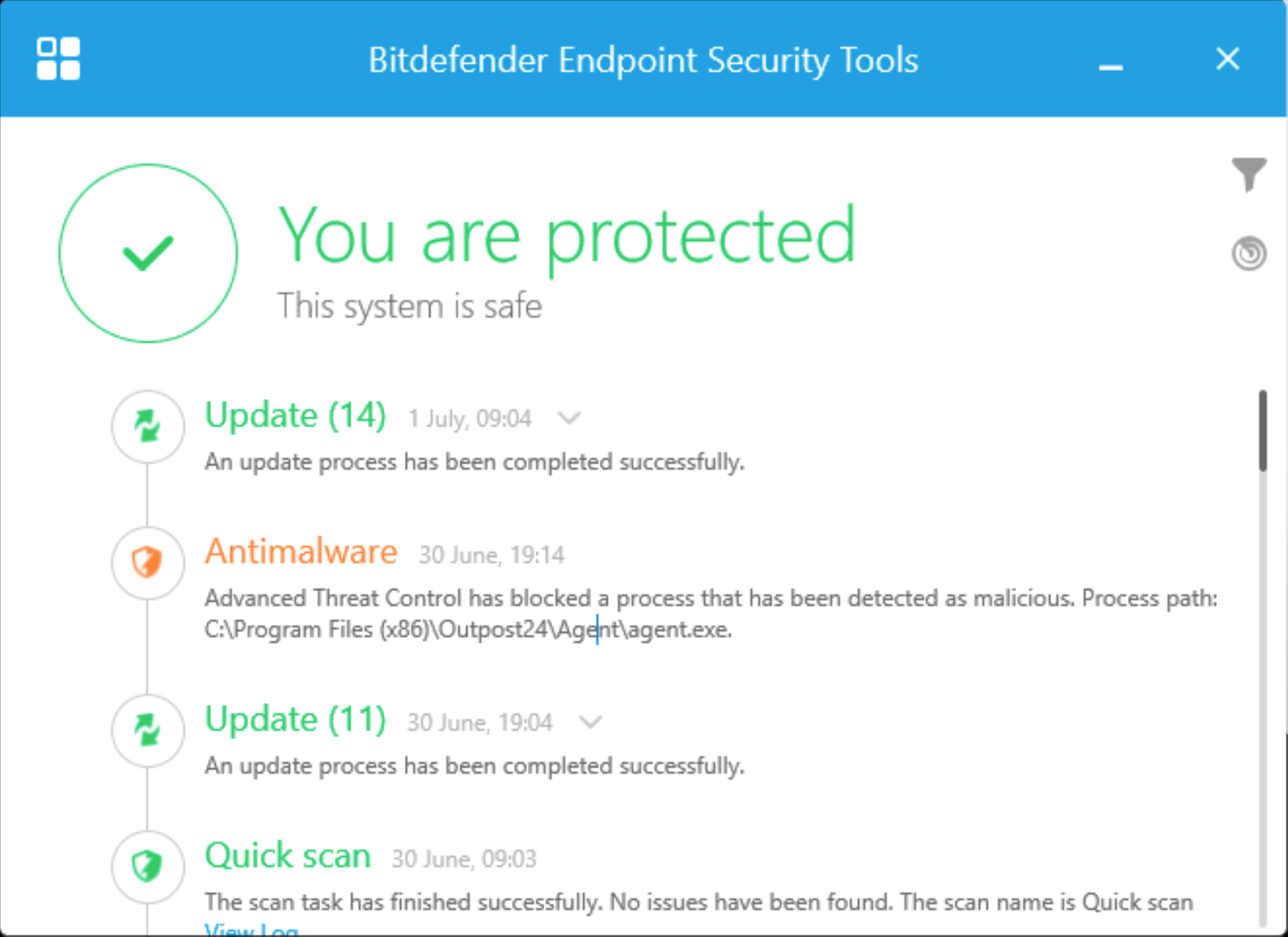
When running an Outpost24 Agent, some Anti Virus/Anti-Malware software will trigger on the agent.
To avoid triggering the AV/Malware platform, the path to the agents executable need to be whitelisted.
Requirements
-
It is required for agents to have full connectivity to teddysalad.outpost24.com
-
The Linux Agent comes both in rpm and deb format.
Installing the Agent
Before Starting
Log in at the workstation on which you want to install the software.
Ensure that the user can get root privileges using the sudo command.
Check connectivity
Ensure you can reach Outpost24 Agent server from the target where the Agent is installed. See Check Connectivity to Agent Server for more information.
Download Agent
Download and verify the package you wish to install as shown in Downloading the Agent. The package name format is o24-agent-<version>.linux.amd64.rpm.
Installing
Fedora
To install the package using the RPM package manager, enter the following command at the prompt:
sudo rpm -ivh o24-agent-<version>.linux.amd64.rpm
You can also use dnf the next upcoming major version of the yum package manager for RPM-based Linux distribution, as follow:
sudo dnf install o24-agent-<version>.linux.amd64.rpm
CentOS
To install the package using RPM package manager, enter the following command at the prompt:
sudo rpm -ivh o24-agent-<version>.linux.amd64.rpm
You can also use dnf the next upcoming major version of the yum package manager for RPM-based Linux distribution, as follow:
sudo yum install o24-agent-<version>.linux.amd64.rpm
Debian
To install the package using Package Manager for Debian, enter the following command at the prompt:
sudo dpkg -i o24-agent-<version>.linux.amd64.deb
You can also use Debian high level command line interface for the package management system provided by apt as follow:
sudoapt /FULL_PATH_TO/o24-agent-<version>.linux.amd64.deb
Related Articles
- Using the Agent Info Command
- Updating the Agent
- Retrieving the Agent UUID
- Checking if Agent is Running
- Finding the Agent Version
- Retrieving Results From the Agent in OUTSCAN
- Discovering the Agent in OUTSCAN
- Removing an Agent from Windows
- Firewall Setup for Agents
- Checking if the Agent has Produced Results
- Setting Up an Agent Using System Proxy
- Agent Latest Version
- Agent Call Home
- Agent Introduction
- Check Connectivity to Agent Server