
Last Updated: 2026-04-02
Purpose
This article shows you how to run authenticated scans for multiple assets that require different set of credentials, ensuring each asset uses the correct credential. By using Internal Credential References, you can assign the right credential to each asset based on criteria you define (such as tags), so only the matching credential is tried on each target, preventing unnecessary failed login attempts.
Overview
Credentials can now reference other internal credentials as a credential source. This allows you to dynamically resolve credential values at scan time based on asset-specific criteria such as tags or scan targets.
How It Works
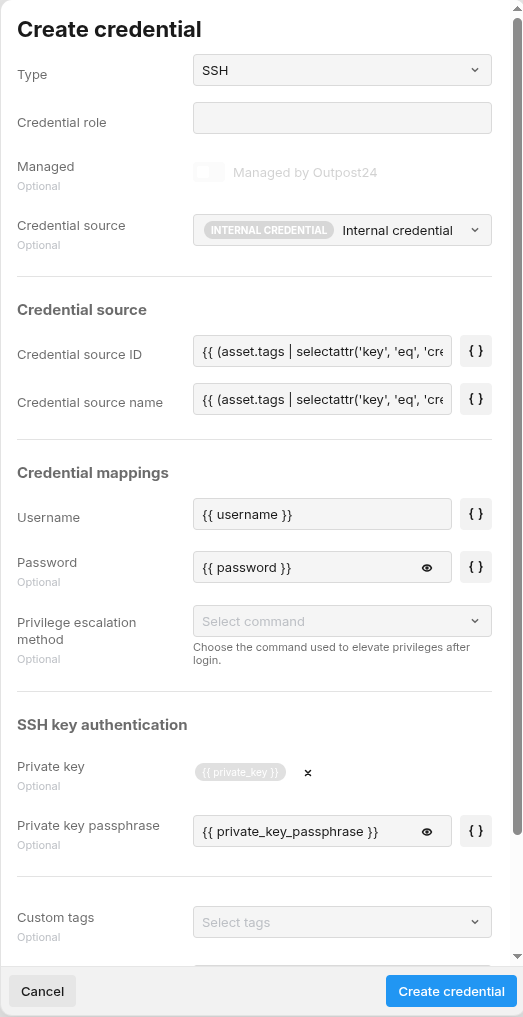
When creating or editing a credential, you can select Internal Credential as the credential source. This links the credential to another existing credential within the same account. At scan time, the system resolves the referenced credential and populates the appropriate fields (username, password, and so on) using Jinja templates.
Key Rules
-
The referenced credential must be the same account type as the referencing credential (for example, an SSH credential can only reference another SSH credential).
-
The referenced credential must not itself be referential — chaining references is not allowed.
-
At least one of Credential source ID or Credential source name must be populated. If both are provided, Credential source ID takes precedence.
Setup
Select Internal Credential Source
When creating or editing a credential, choose Internal Credential from the credential source dropdown.
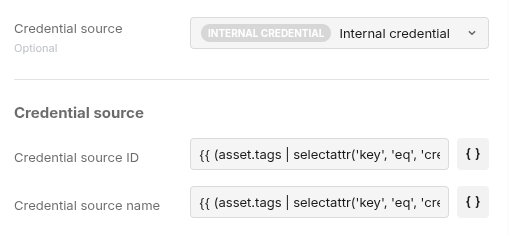
Two additional fields is displayed:
|
Field |
Description |
|---|---|
|
Credential source ID |
The ID of the internal credential to reference. |
|
Credential source name |
The name of the internal credential to reference. |
Configure Source Fields with Jinja Templates
The source fields (Credential source ID and Credential source name) use Jinja templates to dynamically resolve which credential to use based on asset tags. The default templates are:
Credential source ID:   {{ (asset.tags | selectattr('key', 'eq', 'credentialid') | list | default([{"value":""}], true) | first).value }}
Credential source name: {{ (asset.tags | selectattr('key', 'eq', 'credentialname') | list | default([{"value":""}], true) | first).value }}
This means you can control which internal credential is used per asset by assigning the appropriate tag to each asset:
|
Asset Tag Key |
Purpose |
|---|---|
|
|
Specifies the target credential by its ID |
|
|
Specifies the target credential by its name |
Example: SSH Credential with Internal Reference
Scenario: You have multiple SSH credentials and want each asset to use the correct one based on a tag.
Step 1: Create base SSH credentials
Create your SSH credentials as normal (for example, ssh-prod-web, ssh-prod-db).
Step 2: Tag your assets
Assign the credentialname tag to each asset with the name of the credential it should use:
|
Asset |
Tag Key |
Tag Value |
|---|---|---|
|
web-server-01 |
|
ssh-prod-web |
|
db-server-01 |
|
ssh-prod-db |

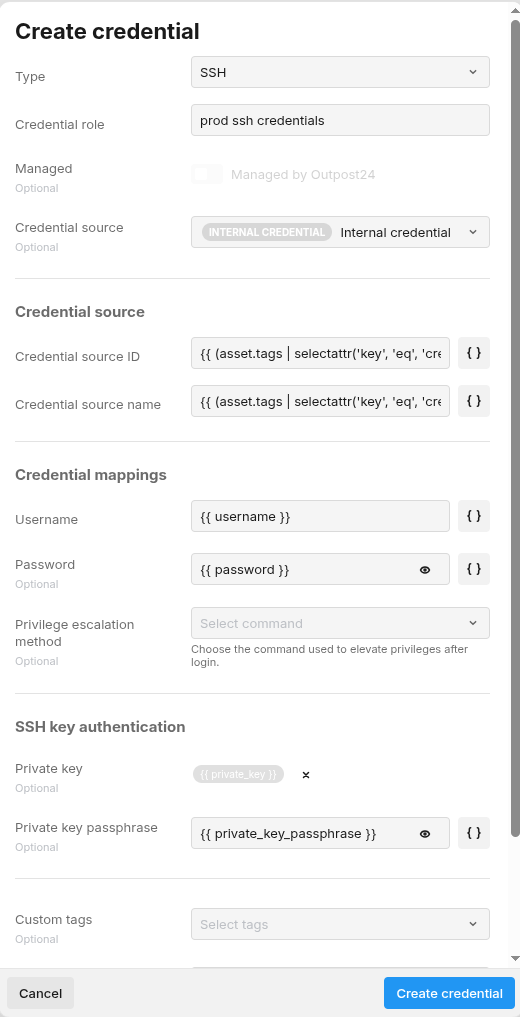
Step 3: Create a Referencing Credential
Create a new SSH credential with Internal Credential as the source. The default Jinja templates automatically resolves the correct credential per asset at scan time.
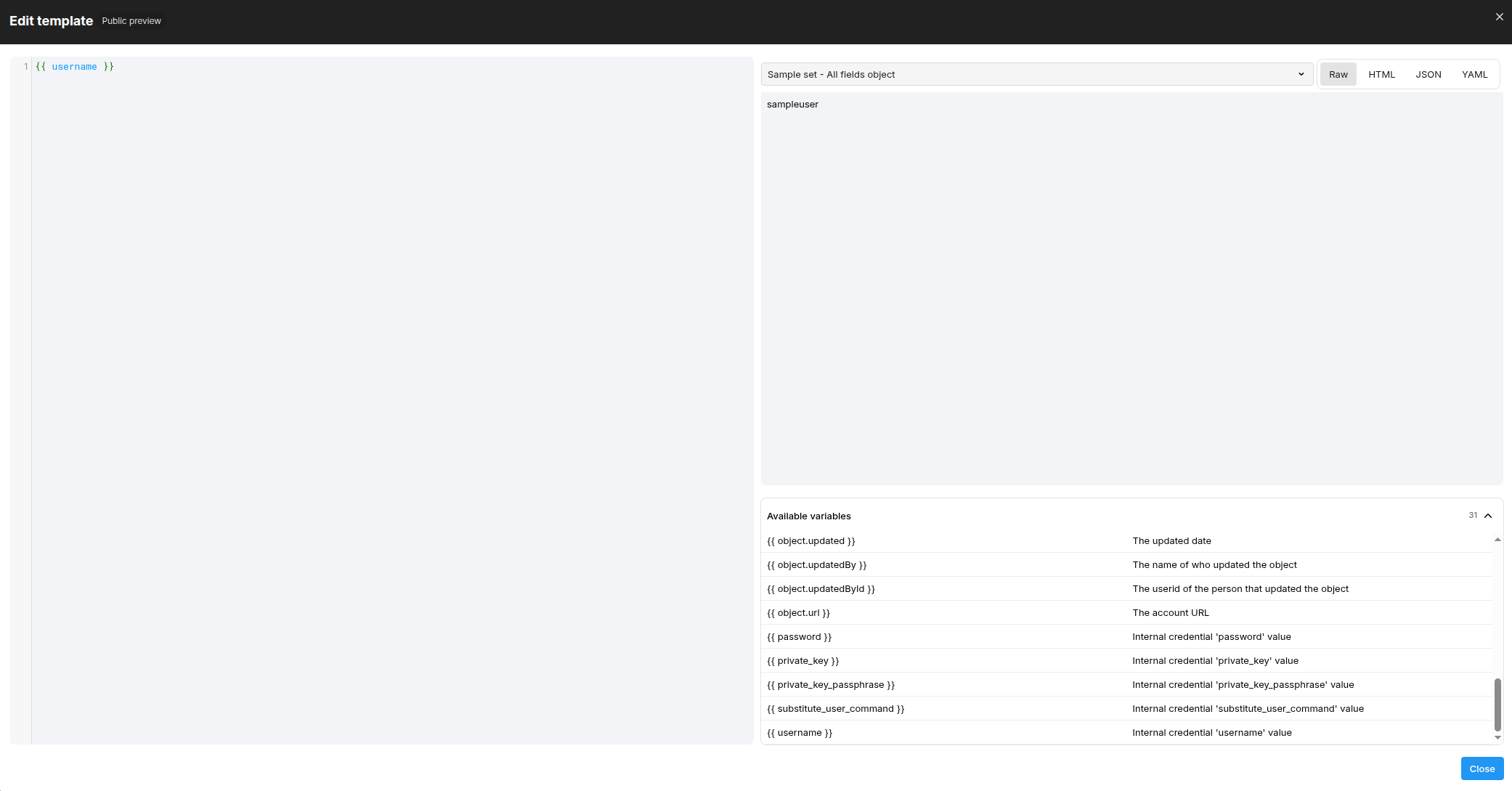
For example, these value fields are populated from the resolved credential:
username: {{ username }}
password: {{ password }}
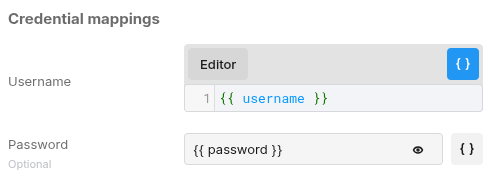
For a complete list of available variables, you can click on the "Curly braces" button to activate Jinja editor mode, then click on the "Editor" button to view them
Step 4: Assign to Policy
Add this single referencing credential to your scan policy. During scanning, each asset automatically use the correct underlying credential based on its tag.
Scan Behavior
-
If the credential reference resolves successfully, the resolved values are used for authentication.
-
If resolution fails (for example, the referenced credential does not exist or is the wrong type), a scan issue is created with details about the failure.
-
If all query fields resolve to empty, the credential is treated as not applicable to the scan and no specific issue is emitted.
Related Articles