
Release Date: 2026-08-25
Outscan Classic & HIAB End of Support – January 31, 2027
Support for Outscan Classic and HIAB ends on January 31, 2027. Begin planning your transition to the Outpost24 Portal and next-generation scanning solutions.
Learn more about the transition → End of Support Notice - HIAB and Outscan Classic
New Features
PCI ASV Scanning in Portal
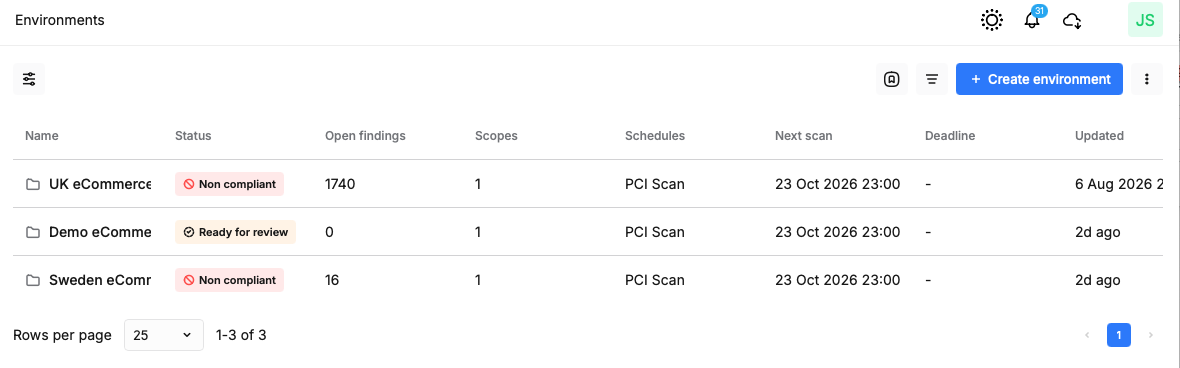
We are pleased to announce the full integration of PCI compliance management into the Outpost24 Portal. This move centralizes your ASV (Approved Scanning Vendor) workflow, allowing you to manage environments, scopes, and disputes without leaving the modern interface.
You can now define PCI environments with dedicated schedules, manage asset scopes with granular in-scope toggles, and handle the entire dispute process directly within the Portal platform. The new interface provides a clear next action indicator for every scope, guiding you through discovery, review, scanning, and final attestation.
Customer Success Managers will contact all PCI customers to assist with the transition to PCI ASV scanning in Portal.
RC-Scanner
Designed to replace HIAB Scanners for those customers using the Hybrid model for scanning and using Outscan as their main controller and reporting point, the RC-Scanners have been built from the ground up, based on the same containerized technologies we use for our own Outscan Platform.
-
RC-Scanners are supported only in Portal and can scan only assets and asset identifiers configured in Portal.
-
Key features include:
-
Installable ISO image. Install the RC-Scanner on a supported virtualization platform.
-
Simplified installation using a generated key. No username or password is required when the appliance is deployed by a third party.
-
Easier replacement. Generate a replacement key in Outscan, deploy a new RC-Scanner, and provide the new key. The new RC-Scanner then takes over from the previous scanner.
-
Open platform. Use existing monitoring tools to monitor resource and disk usage and perform connectivity testing directly from the underlying operating system.
-
Automated updates. A simplified update process keeps the RC-Scanner running the latest Outpost24 software.
-
Portal management. Manage RC-Scanners and view their latest status directly from Portal.
-
Supports the same scanning technologies as previous appliances.
-
Supports a simplified migration process for moving assets in Portal from HIAB Scanners to RC-Scanners.
-
Ignore Lists for Network Scanning
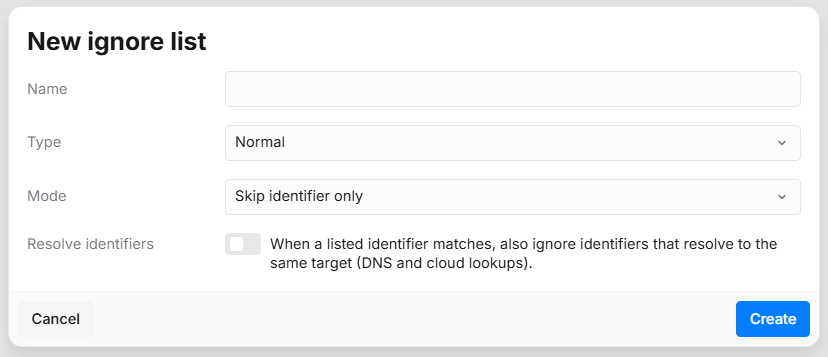
To provide better control over scan coverage and reduce noise, we have introduced Ignore Lists. This feature allows you to define specific assets, IP ranges, or hostnames that should be excluded from network scans.
You can create Global ignore lists that apply to all scans, or Normal lists that you link to specific scan configurations. The system supports various entry types, including CIDR blocks and domain wildcards. When an item is ignored, the Scan logs will now explicitly state which ignore list was applied and the specific reason for the exclusion.
Ignore lists are available under the Configuration menu. Existing assets and identifiers can be added to these lists directly from their respective detail views.
PTaaS Workspace
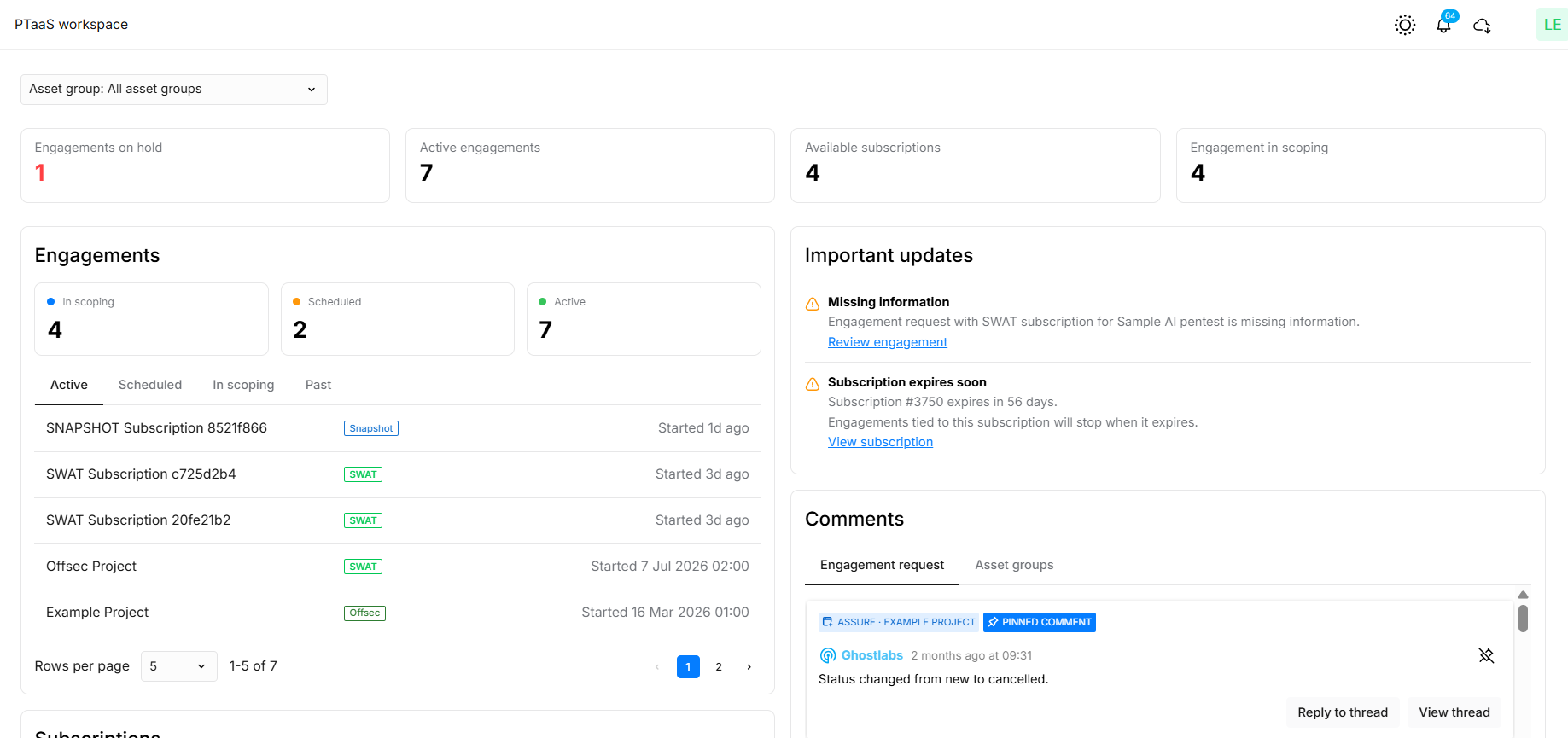
We have introduced the PTaaS Workspace, a dedicated administrative dashboard for Pen Testing as a Service (PTaaS) customers. This view extends the Asset Groups dashboard with a more focused overview of your security engagements and available licenses.
The workspace features high-level KPI tiles for engagements on hold or in scoping, alongside dedicated panels for active subscriptions and important updates. It allows security managers to quickly identify engagements requiring attention, such as those in the Missing Information state, and provides direct actions to resolve holds or start new engagements.
The PTaaS Workspace can be set as your default start page in User Settings.
Enhanced Asset Group Management
We have improved the workflow for organizing your assets by allowing you to associate existing assets with an Asset group at the time of creation. This removes the need to navigate between views to populate new groups.
Additionally, the Asset group detail view has been redesigned to provide a more comprehensive summary of related entries, including an improved Activity log and Subscriptions tab.
Credential Templating for DAST
To simplify the management of complex authentication scenarios in Scale, we have introduced support for credential templating. This allows you to use Jinja2 templates within your authentication scripts to securely inject credential secrets at runtime.
We have also added an Add credential button directly within the credential selector dropdown in Scan Configurations, making it easier to define new credentials without leaving your current workflow.
Improved Discovery for RBVM and PCI in Portal
During August and into September we are introducing several improvements to Discovery scans in Portal. These improvements increase the efficiency and scalability of Discovery scanning for RBVM, with a particular focus on PCI scanning in Portal.
Public Preview Features
Follow the link to read more about our Product Stages.
Bug Fixes and Minor Improvements
Portal
-
Improved the Engagement Request wizard with a new design system and updated date pickers for better usability.
-
Fixed an issue where the CVE Trend Chart would retain stale data when switching between findings.
-
Fixed a bug in Compliance views where the Created By column was duplicated.
-
Improved the Scan Wizard to correctly handle condensed stepper modes when more than five steps are required.
-
Added the Actual Scanner column to the Scans view to provide better visibility into which scanner performed a task.
-
Fixed a misalignment issue in table headers when multiple filters were selected.
-
Updated the PDF Report generator to fix broken links within the Table of Contents.
-
Workflows now default to ‘Send by e-mail’ as the report delivery method, preventing users from inadvertently routing reports to the Report Library.
-
The Catalog view now includes an Occurrences column that shows the number of affected asset, with cross-navigation to findings directly from the catalog.
-
Asset detail tabs (Ports, Products, Services, Certificates) are automatically hidden for sources that do not collect this data, reducing visual noise in the UI.
-
Network host assessment configuration now displays Unlimited instead of 0 when no maximum concurrent scan limit is configured.
-
Include/exclude scan toggles are no longer displayed for non-scannable asset identifier types, including MAC addresses, Agent IDs, Disk IDs, AWS Account/Region, and IPv6 Link Local.
-
Scheduled reports can now be created directly from the Scheduled Reports view, without needing to navigate via the Assets view.
DAST
-
Improved memory management for Scale scans to prevent unexpected terminations during large DAST assessments.
RC-Scanners
-
Enabled support for AI-powered authentication on RC-Scanners.
-
Introduced full Role-Based Access Control (RBAC) for RC-Scanners, allowing for more granular permission management.
Versions
HIAB XML Application Version: v14.36.127
HIAB Image Version: 1787577536
Agent Version: 1.32.24
For more information about Agent versions, see Agent Latest Version.
Vulnerability Detection Update
The latest updates are published here: Vulnerability Detection Update.
End of Life Announcement
Classic UI & HIAB Platform
After this date, Outpost24 will no longer provide fixes, enhancements, or maintenance for either platform. All customers should complete their migration to the Portal and, where applicable, the relevant HIAB replacement solution before the End of Support date.
As part of our continued investment in Outpost24, we are modernizing both the Portal and our scanning infrastructure to provide a more scalable, integrated, and efficient vulnerability and risk management experience.
The Portal provides the foundation for ongoing product development, while our next-generation scanning solutions are designed to improve deployment flexibility and performance. This modernization allows us to focus development and support on a unified technology foundation, enabling us to deliver new capabilities faster and provide a more consistent experience for customers.
-
Official End of Support date:
2027-01-31
Authenticated scanning – commands over SMB
In June 2023, we began introducing WinRM as an alternative to running commands on Windows targets during authenticated scans. We are announcing the End of Life of the legacy SMB-based mechanism for running commands on Windows targets.
WinRM is therefore required for authenticated scanning of Windows hosts after the End of Life date. Existing configurations that have not been migrated to WinRM will no longer function.
For now, the scanner continues to connect to the Windows registry over SMB, including when WinRM credentials are configured.
-
Official End of Life date:
2027-01-25 -
Official End of Support date:
2027-01-25
Selenium
-
Official End of Life date:
2027-01-31 -
Official End of Support date:
2027-01-31
Cloudsec
We are announcing the End of Life of our Cloudsec products. These products remain available until the end of 2026, after which they will be removed. Cloudsec will no longer be available as a standalone product or as part of OutscanNX licensing.
-
Official End of Life date:
2026-12-31 -
Official End of Support date:
2026-12-31