
Release Date: 2026-03-24
Important Notice
We have ceased to use the prefix 2001:67c:1084::/48 and as such it should actively be removed from any whitelisting.
New Features
Portal
Merging and Splitting of Assets
During the scanning process, validation algorithms are used to attempt to match assets, but not everyone's view of what constitutes an asset is the same. For some customers, this may be one server with many IP addresses or many hostnames; for others, they like to keep everything separate.
To support the flexibility customers require with their assets, we are introducing the ability to merge multiple assets or asset identifiers into one asset, or split one asset and its asset identifiers into multiple assets.
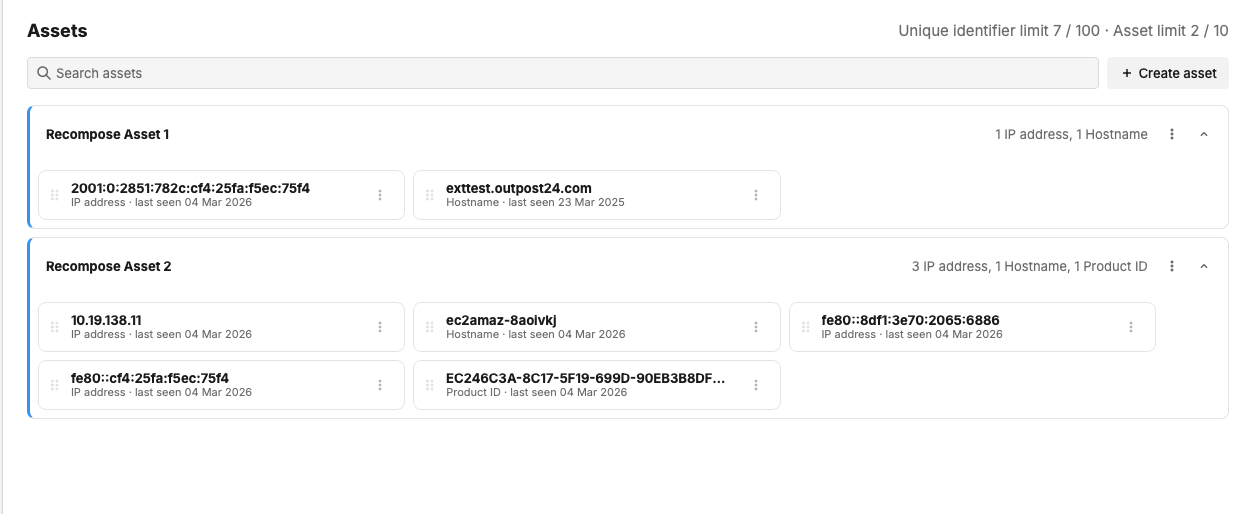
The new ‘Recompose Assets’ option allows you to drag and drop identifiers between assets, rename assets, create new assets and move identifiers to other assets.
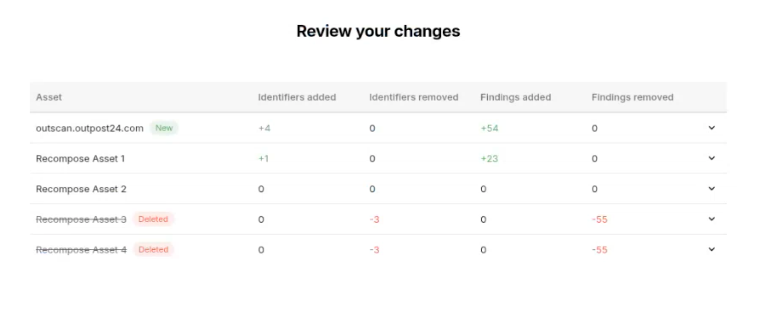
It is also possible to choose what happens with the original findings and whether they stay with the original assets, or move with the Asset Identifier.
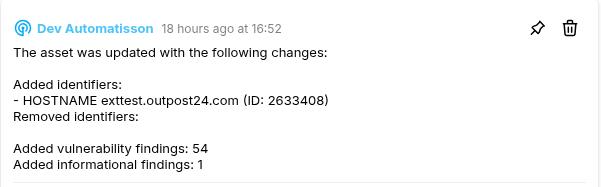
When changes are made to an asset, comments will be left on the asset, summarising the changes.
Automatic Status Updates
The Automation engine introduced last month has now been expanded to provide new capabilities, enabling not just tagging, but also includes the ability to automatically change the status of a vulnerability when a scan is complete. When triggered at the end of a scan, this allows the status of a vulnerability to be changed based on whether it was seen during the last scan.
A new automatic rule has been added. All vulnerabilities that are not seen during a scan (i.e., ‘Seen last scan’ is False) will be automatically marked as ‘Irreproducible’.
If you do not wish this automatic rule to fire, go to ‘Automation’ and select Rules in the menu, and disable the ‘Mark findings "not seen" as irreproducible’ rule.
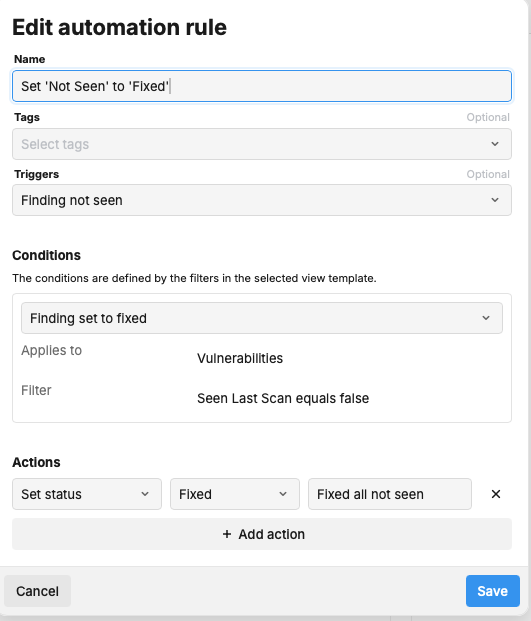
It should be noted that ‘Irreproducible’ is not a closed state for the sake of Delta and other reports. If findings should be instead in a Closed state, then a new automation rule will need to be created with the Status set to ‘Fixed’.
When a change is made to the assets status via an Automation rule, a comment is added to the asset to summarise the change.

Automation Updates
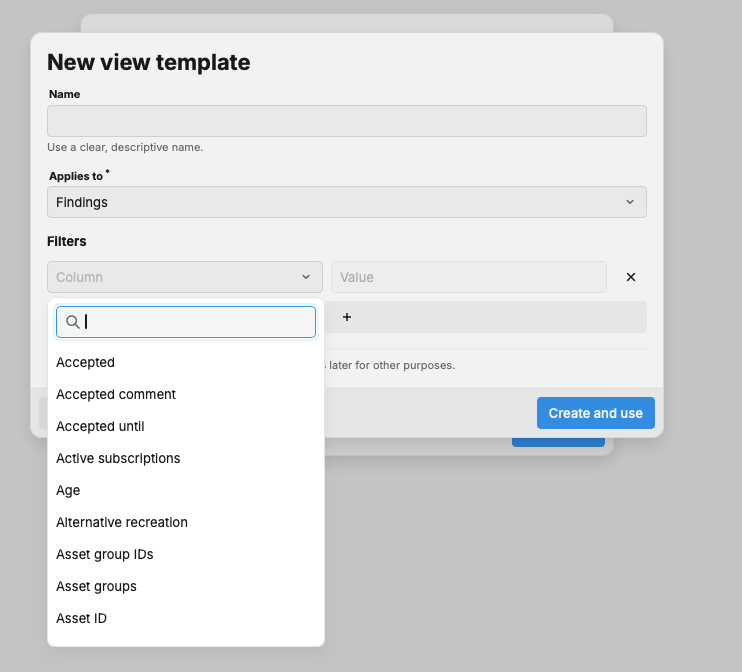
We have also added in the ability to now create both new ‘Tags' and new ‘View Templates’ from within the Automation tool by selecting ‘Create new’, removing the need to pre-configure these before setting up the Automation rule.
Conditional Credentials
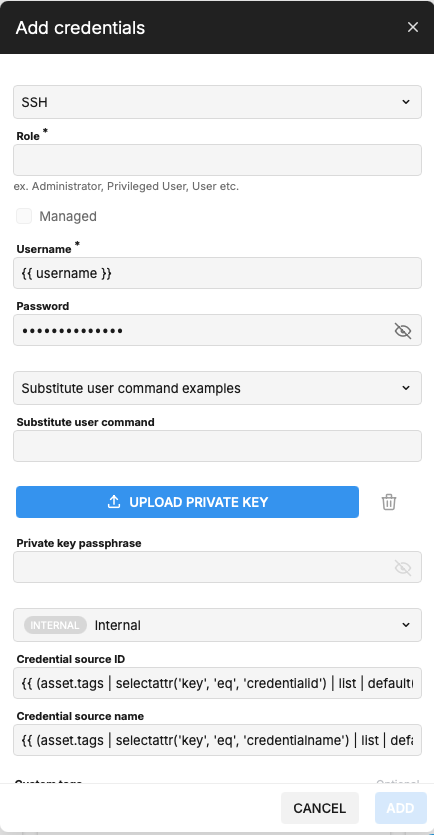
When using authentication during the scanning process, a single policy may contain multiple sets of credentials. When a number of sets of credentials are configured, or with a more restrictive account lockout process, this can lead to failed authentications due to the lockout.
This release we have introduced both our own Password Vault, and the ability to set Conditional Credentials. Using the ‘Internal’ Password vault, assets can be selected based on other elements, such as tags, using the correct credentials during the authentication process.
Agent & Auth Scan Asset Health Checks
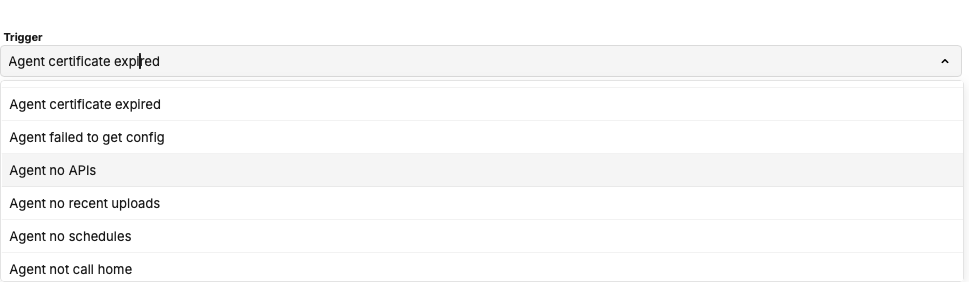
Further to last month's implementation of more granular information within Portal around an assets health, an authenticated scan will now also check to see if an Agent is installed and run health checks in the Agent itself and report back on an asset's status. As an example, if an Agent is installed, but is not running, this will display an error against the Agent in Portal to indicate that the Agent is not running.
New Events have also been added to the Event notification options to be triggered based on the new events.
Tag Credentials on Creation
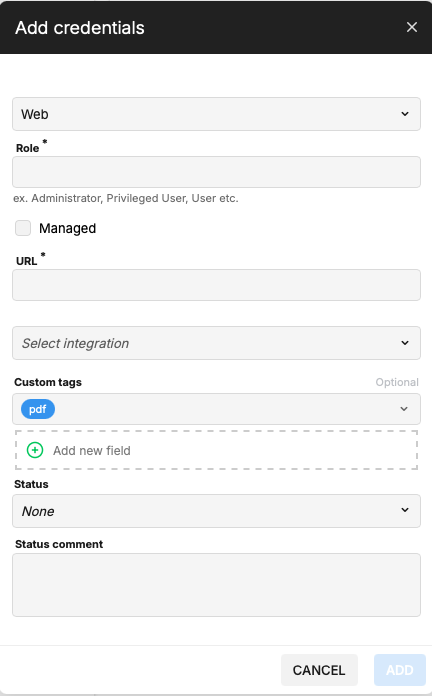
It is now possible to apply tags immediately on creation of new authentication credentials. This ensures that the user creating the credentials is able to see them upon creation if they apply the tags they have been assigned access to.
PDF Reports Improvements
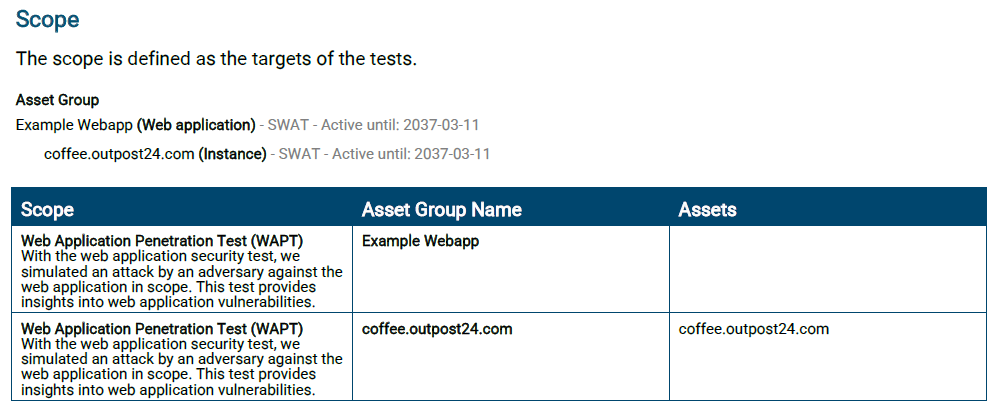
New Scope section
Introduced a dedicated section in pentesting reports that clearly outlines what was tested, the type of test performed, and the assets included in the engagement.
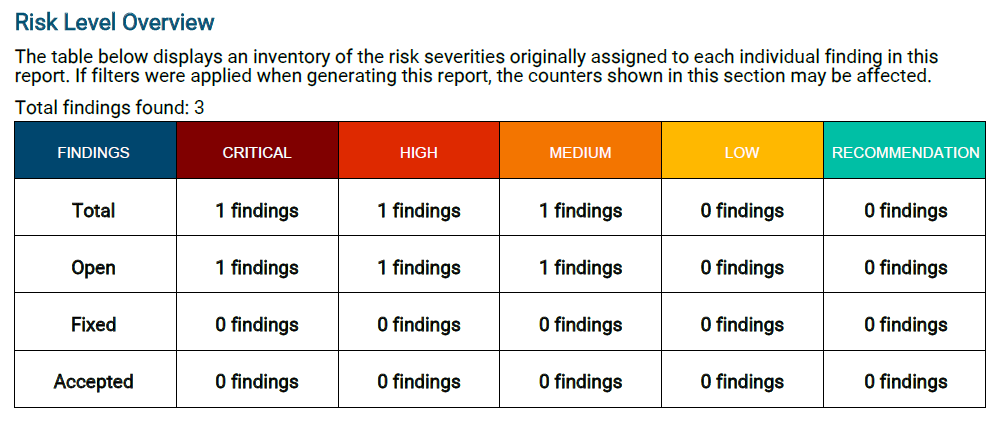
Risk Summary Breakdown by Status
Updated the Risk Level Overview table to break down findings by status, including Open, Accepted, and Fixed, along with overall totals for better visibility.
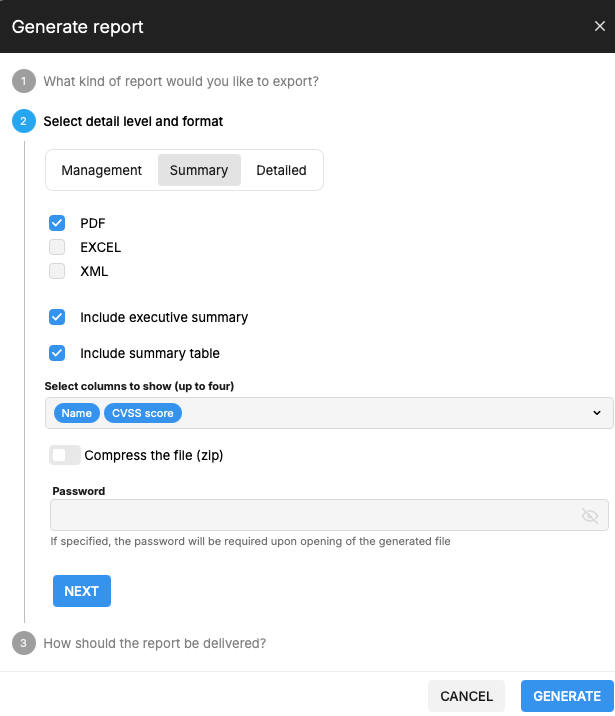
Customizable Table Summary
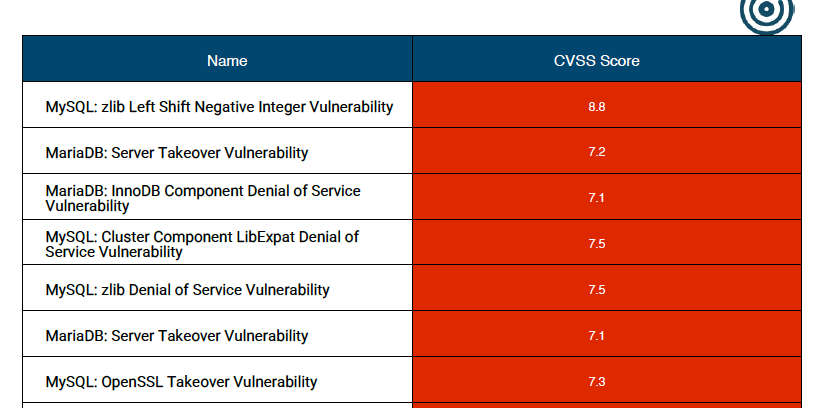
Added the option to include a simplified table summary in PDF reports, allowing customers to generate a high-level view with up to four customizable columns instead of a fully detailed report.
Here’s how it looks in the exported PDF report.
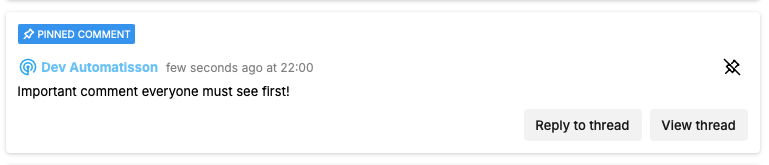
Pinning of Comments
It is now possible to ‘Pin’ a specific Comment anywhere comments are available. This will keep the pinned comment at the top of the Comments view, no matter how many additional comments are added.
Technology Preview Features
Follow the link to read more about our Product Stages.
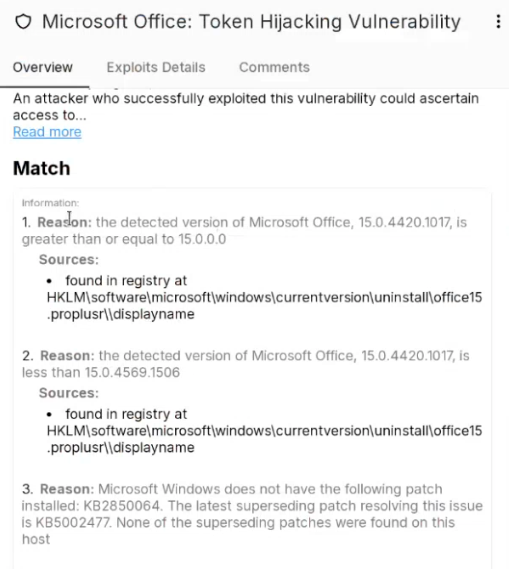
Added File Locations to Vulnerabilities during Authenticated and Agent Scanning
From this release we have implemented the first steps towards adding details about the reasoning as to why we are reporting a vulnerability, such as File or Registry location, alongside other detection methods. This will be available to a limited number of customers as we build out more information across the vulnerability database.
Bug Fixes and Minor Improvements
Portal
-
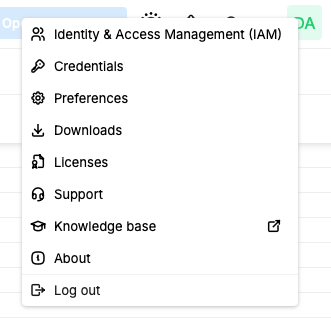
The Logout Button has now been moved to Account menu.
-
Farsight scores now show 3 decimal places for improved accuracy and to ensure the UI and API have matching data.
-
Fixed an issue where the API would not return the asset identifier.source field, despite this being a required field.
-
Removed the ‘Schedule’ element from an Agent scan as this is not required and would result in an error if set.
-
Fixed the ‘Remove Tag’ button when removing a Tag from a finding so it no longer says ‘Delete Tag'.
-
Fixed an issue with disallowed Portal authentication tokens which were not always respected by the Classic UI.
-
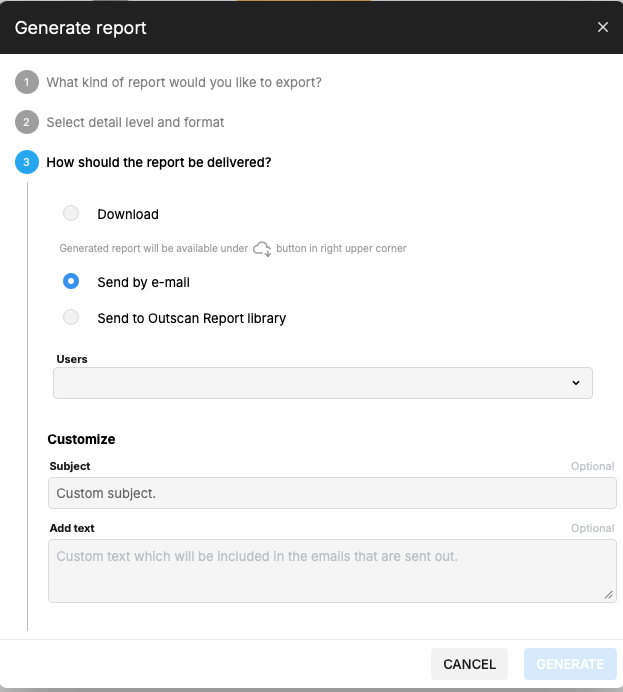
Added the ability to set a custom subject and text to include when sending a report via email.
-
Removed the ‘Delete’ option from the Appliances menu. This would always result in an error as appliance management is not supported in Portal.
-
Fixed an issue where the HTTPMethod was not shown in the UI when configuring a Webhook.
-
When generating a report from the Asset view, the Scope correctly represents all of the assets included in the report rather than just the first one.
-
Fixed an issue which stopped Tags being selected for adding to a new Discovery scan’s assets.
-
Fixed an issue where tag selection boxes did not have the option to create new Tags if required.
-
Improved validation to ensure that asset identifiers were always valid for their identifier type.
-
Added new MIME types to allow the upload of encrypted .xlsx and docx files to the Report Library.
-
Fixed an issue where a Scan Configuration would display an error if one of the Tags was deleted.
-
Removed the ‘Credentials’ tab for Unmanaged Asset Groups as this should only be available for 'Managed Asset Groups'.
Classic UI
-
Fixed an issue with the Dashboard which would not display counts of Exploitable targets correctly
Versions
HIAB XML Application Version: v14.32.109
HIAB Image Version: 1773750346
Agent Version: 1.32.17
For more information about Agent versions, see Agent Latest Version.
Vulnerability Detection Update
The latest updates are published here: Vulnerability Detection Update.
End of Life Announcement
Selenium
-
Official End of Life date:
2026-04-30 -
Official End of Support date:
2026-04-30
Cloudsec
We are announcing the End-of-Life of our Cloudsec products. These will continue to be available until the end of the year, after which they will be removed from the product. It will no longer be available either as a Standalone product nor as a part of the OutscanNX licensing.
-
Official End of Life date:
2026-12-31 -
Official End of Support date:
2026-12-31