
Last updated: 2026-04-20
Purpose
This article describes how to set up a Limited Application Assessment scan.
Introduction
The Limited Application Assessment feature provides a reduced version of the full Application Assessment scanning capability to catch the basic web application risks within the platform. The scan operates in the same way as a standard Application Assessment scan but is restricted to a predefined set of configurations, where only essential inputs such as Seed URLs and Can’t match filter are defined. This feature is primarily available for users transitioning from the Classic platform and is executed as part of a workflow that includes a preceding Network Host Assessment scan.
This feature can be used when a streamlined and guided approach to web application scanning is required. By reducing the number of configurable options, it lowers complexity and helps users deploy scans without advanced setup knowledge. This is useful for migration scenarios or environments where consistent and controlled scanning configurations are needed.
Limited Application Assessment’s availability is Feature Flagged and will only be available to customers migrating to Portal who used the Classic’s ‘Normal+Webapp’ Scan.
Limited Application Assessment is available ONLY as a part of a Workflow.
Setting up a Limited Application Assessment
-
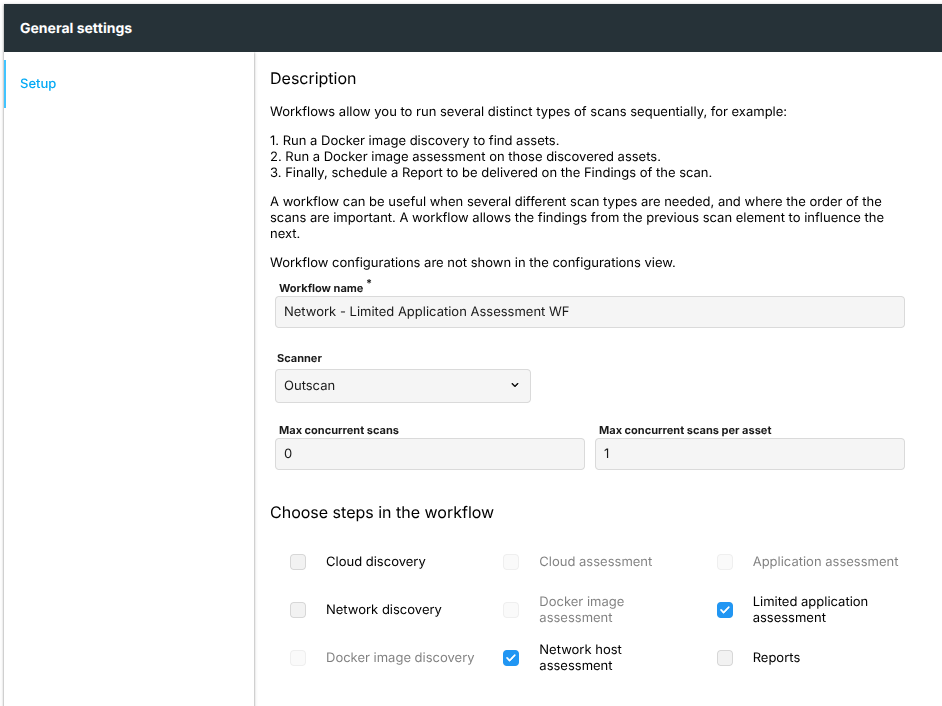
Create a workflow. A Limited Application Assessment scan has to be preceded by a Network Host Assessment scan.
-
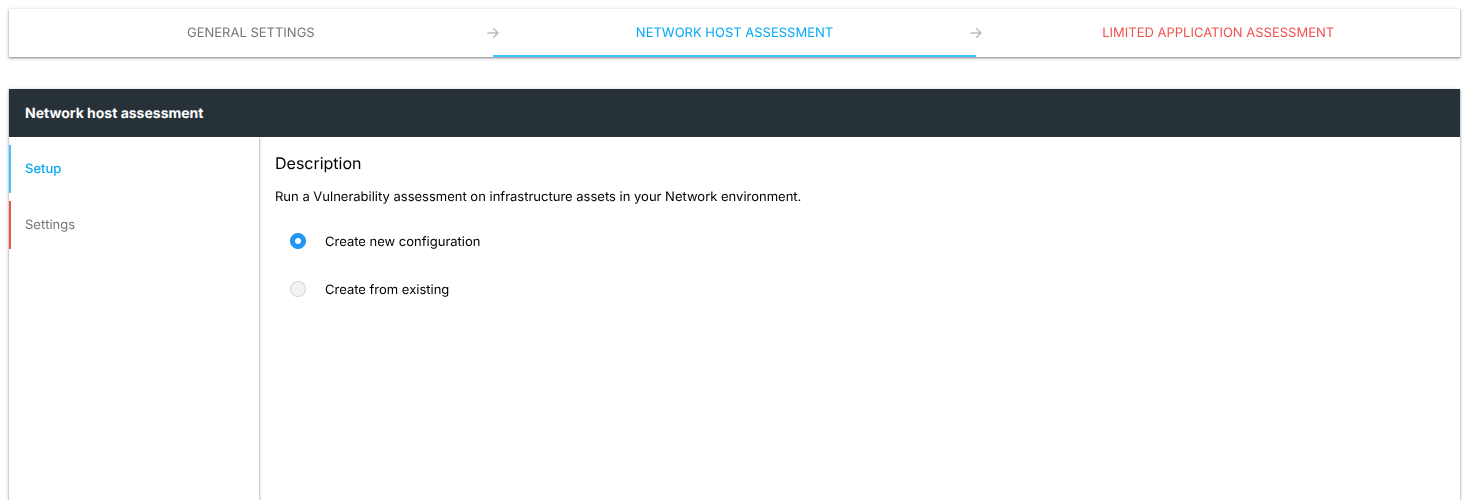
Create a new Network Host Assessment configuration or link the workflow to an existing one.
-
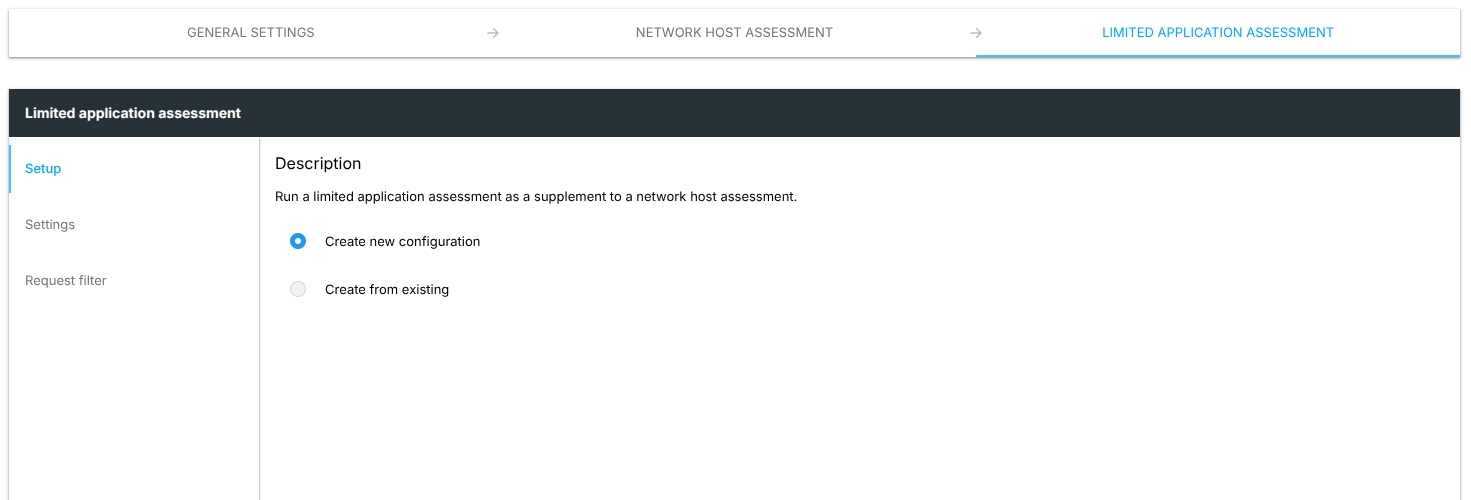
Create a new Limited Application Assessment configuration.
-
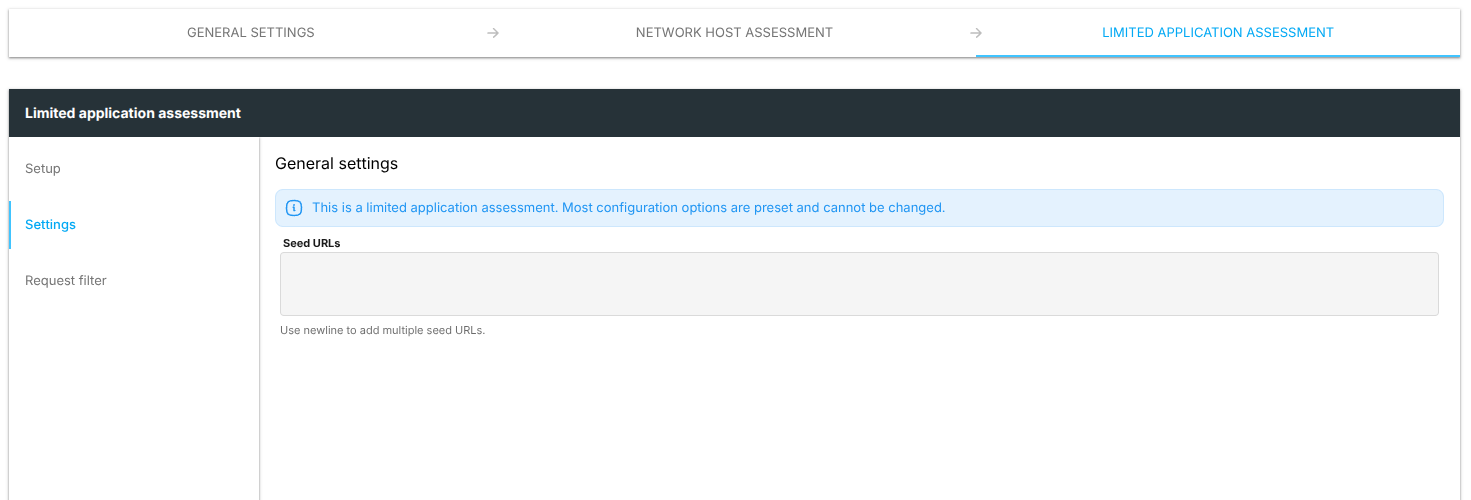
Provide the Seed URLs of the target. Use newline to add multiple seed URLs.
-
Since a Limited Application Assessment scan must be preceded by a Network Host Assessment scan, the absolute URL parts configured in the seeds are ignored. Instead, the scan runs against all virtual host:port combinations reported as HTTP or HTTPS from the Network Host Assessment scan, with any relative URL paths from the seeds appended to each. For example, if the network scan reports
https://example.com:443and the seeds contain the absolute URLhttps://ignored-domain.com/api/foobar, the scan will targethttps://example.com/api/foobarand a message saying ‘Contains an absolute URL, it will not be used if preceded by Network host assessment.’ will be displayed.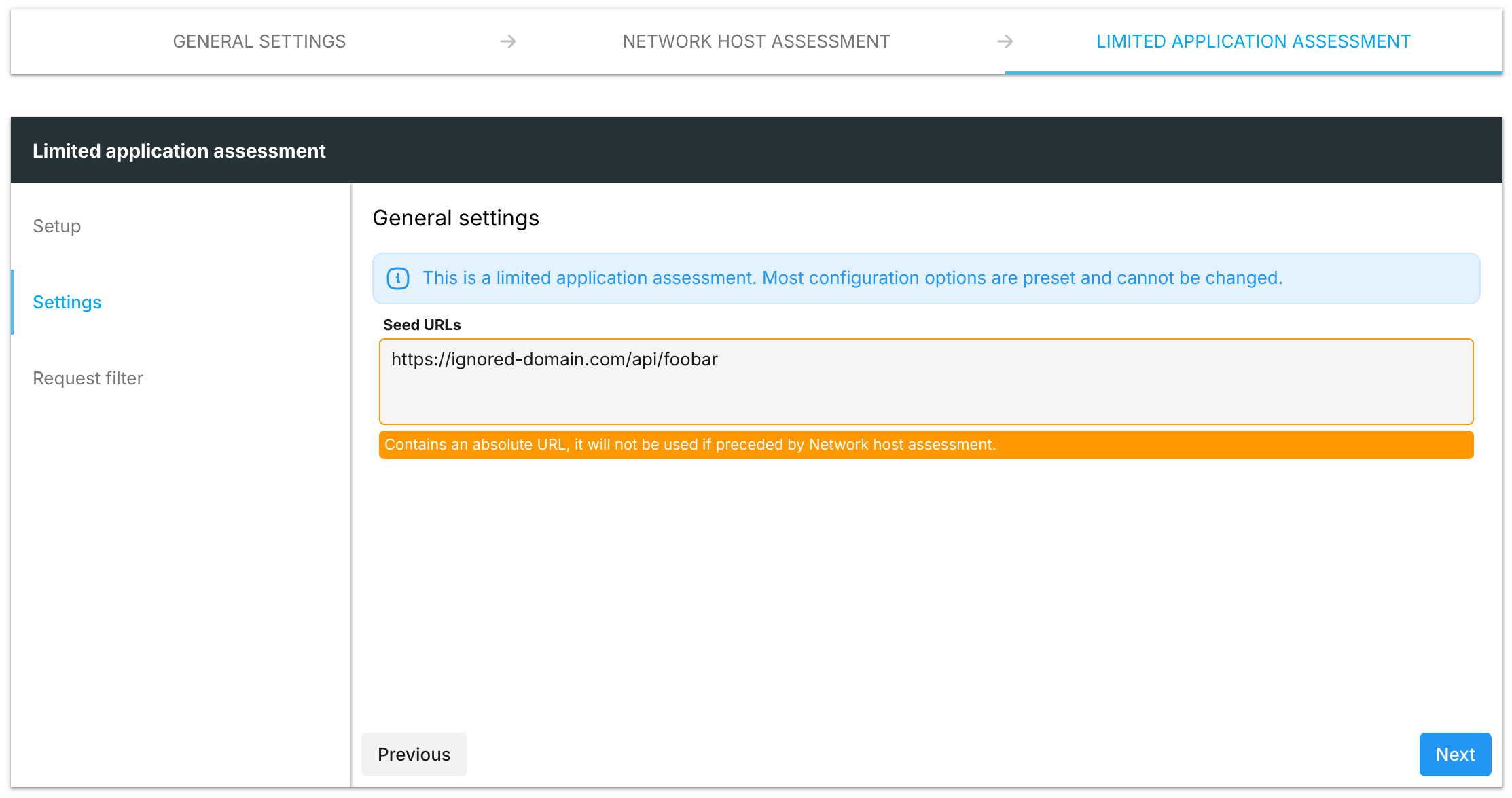
-
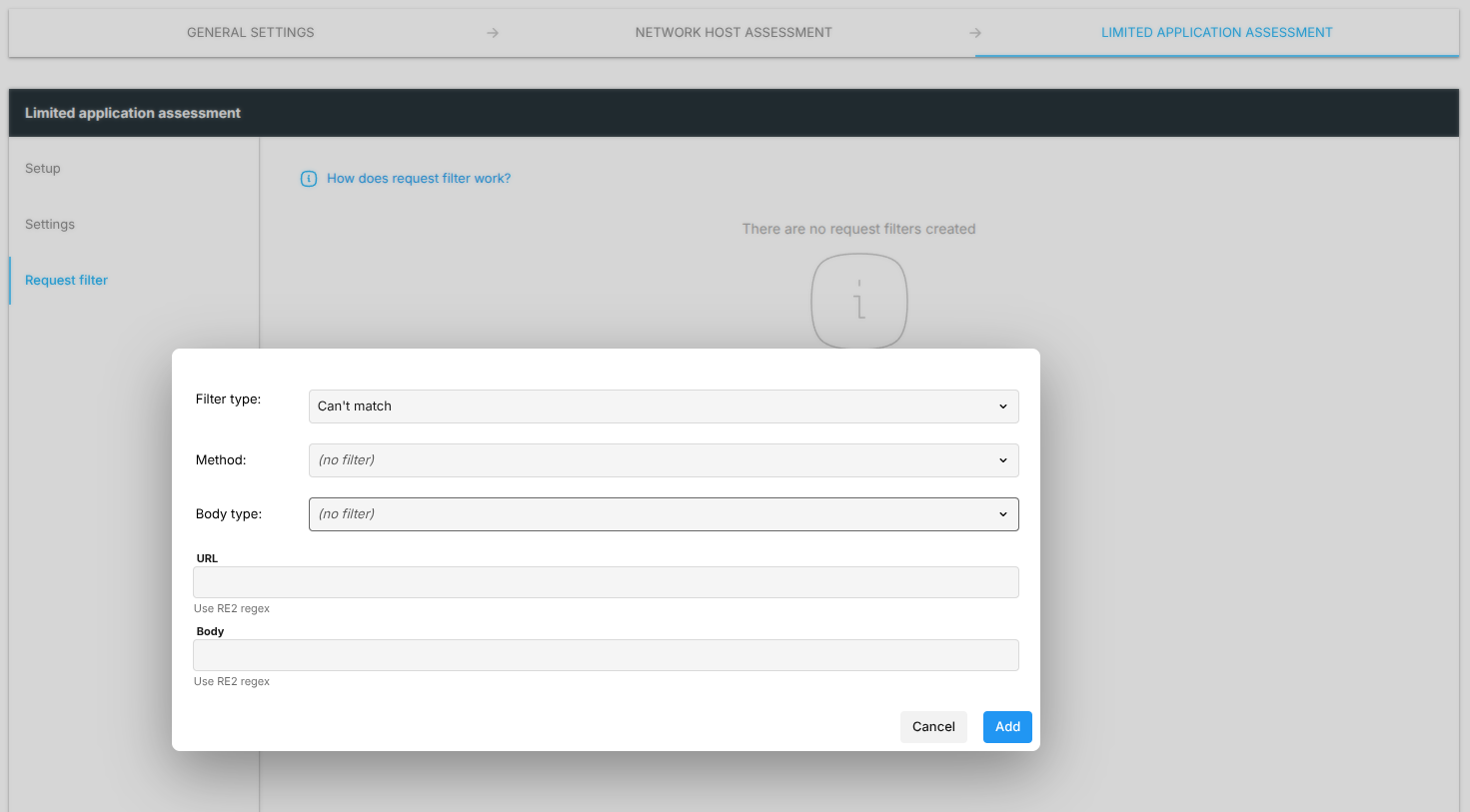
Add a Can’t match filter. More details regarding this filter type can be found here: https://kb.outpost24.com/kb/scan-configuration-settings#Filter-Type
-
Save and start the workflow.
-
Verify the scan results.
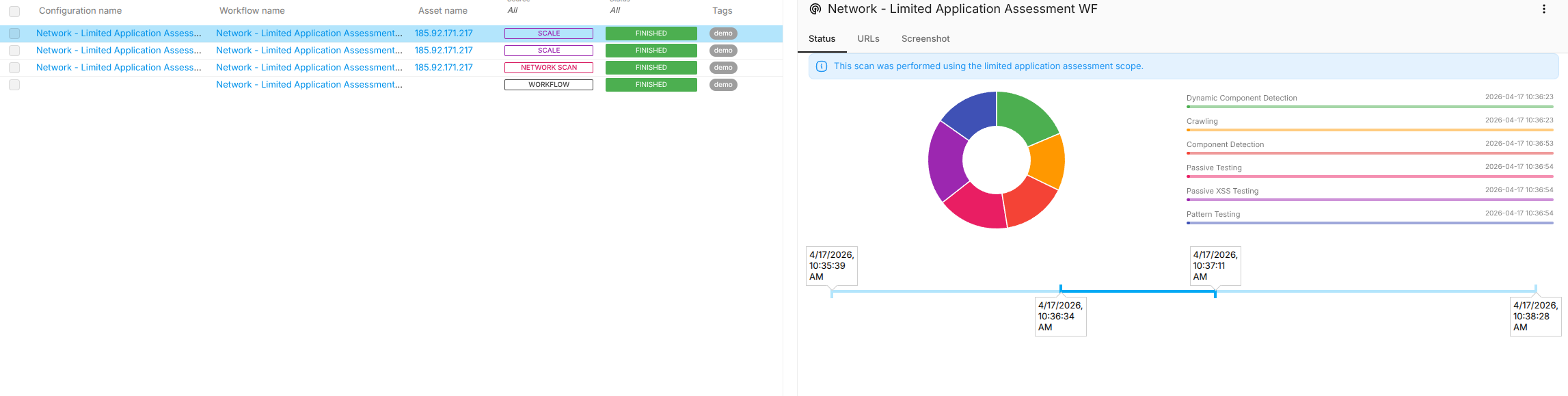
Scans configured with the Limited Application Assessment template will display the message 'This scan was performed using the limited application assessment scope.' in the scan details panel.